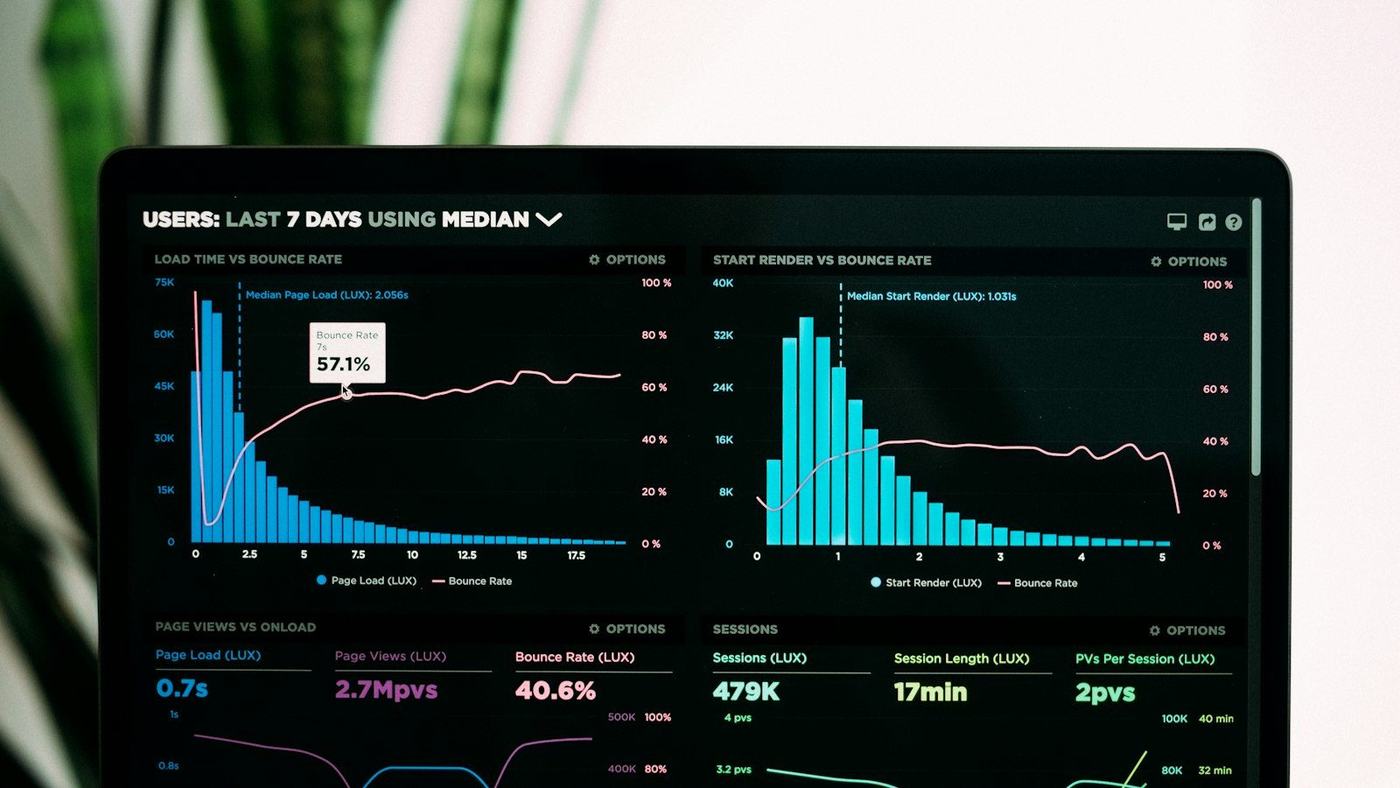
In short: website speed affects sales because slow pages lose visitors before they see your offer, and you never find out they came. Measure your key pages on mobile with PageSpeed Insights, aim for "good" Core Web Vitals, and fix the usual culprits first: heavy images, too many scripts and plugins, slow hosting and third-party widgets that load too early.
Speed is one of the few website improvements that helps everything at once. It makes paid clicks less wasteful, supports your search rankings and makes the site more pleasant to use. This guide explains how to measure it, what the numbers mean, and which fixes usually make the biggest difference.
Why website speed affects sales
People decide very quickly whether to wait for a page. On a phone with a patchy connection, a page that shows a blank screen for several seconds is easy to abandon. Every person who leaves at that point is invisible in most reports: they clicked, waited and went, often back to a competitor in the search results.
The commercial effect is measurable. In a case study published on web.dev, Vodafone ran an A/B test in which a 31% improvement in Largest Contentful Paint led to 8% more sales, a 15% better lead-to-visit rate and an 11% better cart-to-visit rate. Your numbers will differ, but the pattern is common: when the important content appears sooner, more people go on to act.
Speed and Google search
Google says plainly that Core Web Vitals are used by its ranking systems. It is equally clear that good scores do not guarantee top rankings, and that relevance still comes first. Think of speed as something that helps a good page compete, not a shortcut past better content. The same applies to AI Overviews and AI Mode, which draw on pages that are indexed and give a good experience.
Speed and paid ads
If you pay for clicks, a slow landing page means paying for visitors who never see the page. Google Ads also considers landing page experience as part of Quality Score, which describes how relevant and useful your page is to people who click your ad. A fast, focused page helps on both counts. Our Google Ads work always starts with checking the landing page.
How to measure your website speed
Use PageSpeed Insights, Google's free tool. Enter a page address and look at the mobile results first, because that is where most sites struggle.
You will see two kinds of data:
- Real-user data (if your site has enough visitors): how the page performed for actual Chrome users over the last 28 days. This is what matters most.
- Lab data: a single simulated test. Useful for finding problems and checking fixes, but it can vary between runs.
Do not test only the homepage. Check the pages that make money: your main service pages, best-selling products, pricing page and checkout or contact page.
Core Web Vitals in plain English
Google groups the most important speed and usability measures as Core Web Vitals. According to web.dev, a page should hit the "good" threshold for at least 75% of visits, measured separately for mobile and desktop.
| Metric | What it means | Good |
|---|---|---|
| Largest Contentful Paint (LCP) | How long until the main content, usually the big image or headline, appears | 2.5 seconds or less |
| Interaction to Next Paint (INP) | How quickly the page responds when someone taps or clicks | 200 milliseconds or less |
| Cumulative Layout Shift (CLS) | How much things jump around while the page loads | 0.1 or less |
Do not chase a perfect 100 score. Google itself advises against optimising purely for scores. Aim to pass all three for real users, then put your effort back into content and conversion.
The fixes that usually make the biggest difference
1. Images
Oversized images are the most common reason for a slow LCP.
- Resize images to the largest size they are actually shown at. A 4,000-pixel photo in a 600-pixel box is pure waste.
- Use modern formats such as WebP or AVIF, and compress them.
- Lazy-load images further down the page, but never the main image at the top. Google's guide to optimising LCP warns that lazy-loading the LCP image delays it.
- Mark the main image as high priority so the browser fetches it first.
2. Scripts, plugins and fonts
- Remove plugins and scripts you no longer use. Old sliders, page builders and abandoned tracking codes add up.
- Limit custom fonts to one or two families and the weights you actually use.
- Avoid large scripts that block the page from showing until they finish.
3. Hosting and server response
If the server is slow to send the first byte, everything else waits. Cheap shared hosting is often the bottleneck. Good hosting with a CDN close to your customers, plus proper caching, can cut load times without touching the design.
4. Third-party widgets
Chat widgets, video embeds, review carousels, social feeds and marketing tags all download extra code. Load them after the main content, or only when someone interacts. A video can show a lightweight preview image until it is played.
5. Layout shift and slow taps
- Give images, ads and embeds fixed dimensions so space is reserved before they load.
- Avoid banners that push content down after the page appears.
- Break up heavy JavaScript so taps on buttons and menus respond straight away.
When a speed fix is not enough
Sometimes the problem is the build itself: a heavy theme, a page builder stacking layers of code, or a design that loads everything up front. In that case, tuning only gets you so far and a website redesign on a lighter setup may cost less over time than repeated patching. Designing for phones from the start helps too; our guide to mobile-first website design explains why.
For online shops, speed matters most in the checkout, where every delay is a chance to give up. See our post on reducing checkout abandonment.
Keeping your site fast
Speed slips over time as new images, plugins, pop-ups and tracking tags are added. A site that passed last year may fail today.
- Run PageSpeed Insights on your key pages once a month.
- Check the Core Web Vitals report in Google Search Console for pages flagged as poor.
- Agree a simple rule: no new plugin or tag goes live without checking its effect on speed.
- Compress every new image before uploading.
Ongoing website maintenance usually includes these checks, so problems are caught before they cost sales.
Website speed checklist
- Tested key pages on mobile in PageSpeed Insights.
- LCP is 2.5 seconds or less for real users.
- INP is 200 milliseconds or less.
- CLS is 0.1 or less.
- Images are resized, compressed and in a modern format.
- The main top image is not lazy-loaded.
- Unused plugins, scripts and fonts are removed.
- Hosting is reliable, with caching and a CDN.
- Chat, video and tracking load after the main content.
- Speed is checked monthly and after every major change.
Need help speeding things up?
If your scores are in the red and you are not sure where to start, Rachyet offers speed optimisation that focuses on the pages that bring in revenue. Get in touch with the pages you care about most and we will tell you what is slowing them down.